

So I paid for something online last month, got the “payment successful” message, closed the app, and forgot about it completely. Two weeks later the item never arrived. I went looking for proof I’d actually paid, and guess what I’d deleted the confirmation email without even reading it.
That’s basically why I’m writing this. A SIF online payment receipt sounds boring until the one day you actually need it, and then it’s suddenly the most important thing in your life. Let’s get into what it is, why people ignore it (and shouldn’t), and how to grab one when you need it.
Okay, But What Exactly Is a SIF Online Payment Receipt?

It’s just proof your payment went through. That’s it, that’s the whole idea behind it.
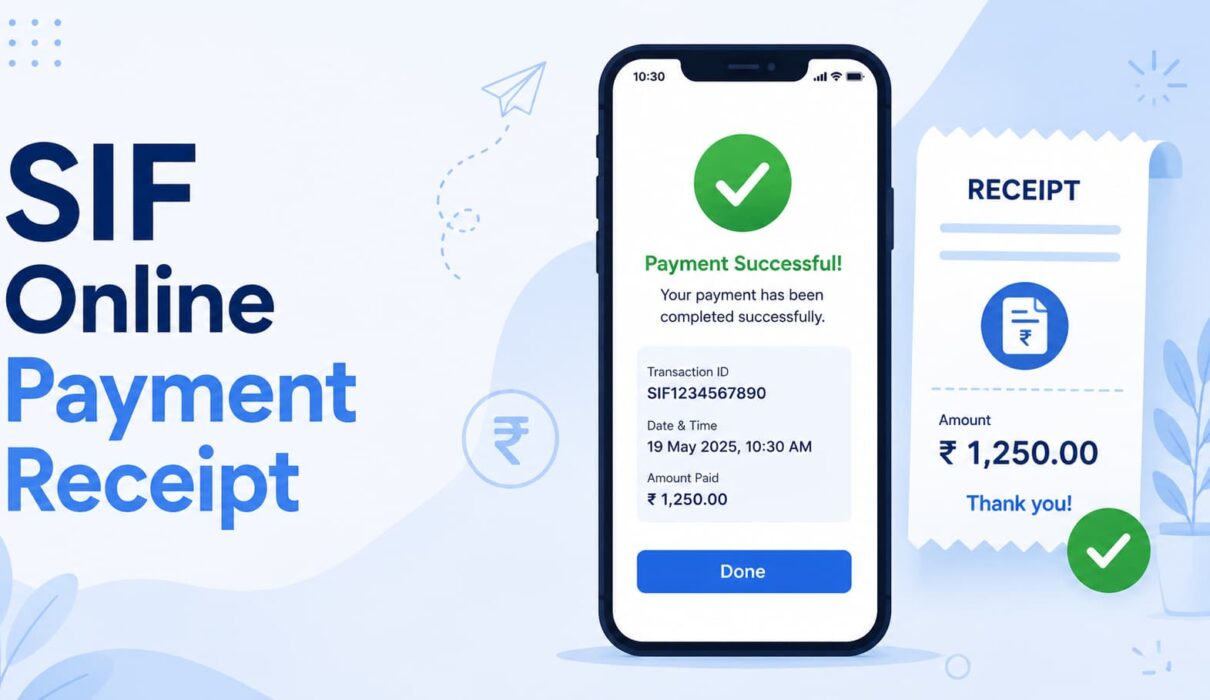
The moment a transaction is marked as successful, this receipt gets generated automatically. It’ll have a transaction ID, the amount, the date, and how you paid card, UPI, wallet, whatever. Some receipts also mention who sent the money and who received it, which comes in handy more often than you’d think.
Basically it’s the digital cousin of that little paper slip shopkeepers used to hand you. Except this one doesn’t get lost in your jeans pocket and go through the washing machine.
Why Do People Even Ignore These Things?
Honestly? Because they look like spam. Another “your payment was successful” email in a sea of promotional junk, so we swipe and delete without a second thought.
Big mistake though. Here’s the thing if a payment dispute ever comes up, this receipt is pretty much your only real evidence. No receipt, no proof, and now you’re just hoping the company believes you.
A few situations where I’ve personally needed one, or watched someone else scramble for one:
- Getting a refund processed (impossible without proof of payment, in most cases)
- Sorting out a dispute where a payment “didn’t go through” on the seller’s end
- Filing taxes if you’re freelancing or running a small shop
- Claiming warranty on something that broke down
- Just knowing where your money actually went at the end of the month
None of it feels urgent right now. It only feels urgent the day you need it and can’t find it.
What Should Actually Be On It
Some receipts are detailed, some are lazy and barely tell you anything. A decent one should have:
- A transaction or reference number that’s unique to that payment
- Date and time — exact, not just “today”
- Amount, with the currency clearly mentioned
- Payment method used
- Names or account info of both people involved
- Whether it actually succeeded, or is stuck pending, or failed
If yours is missing half this stuff, don’t just shrug it off. Message support and ask for a full one. You’ll want it later, trust me.
Where Do You Actually Find It?

Depends on how you paid, honestly. But here’s where I’d look first.
Your Email Inbox
Obvious, I know. But this is where most SIF online payment receipts land first. And check spam I can’t tell you how many times a legit payment confirmation got flagged as junk mail for no real reason.
Inside the App Itself
Google Pay, PhonePe, Paytm all of them keep a transaction history. Tap on the payment in question and there’s usually a share or download button sitting right there. This is genuinely the fastest way, faster than digging through your inbox.
Just Ask Support
Sometimes receipts just… don’t show up. Servers have bad days too. If that happens, message support, give them the transaction ID, and they’ll usually sort it out within a few minutes.
Running a Business? Make Your Own Receipts

If you’re selling something online, even something small, sending customers a proper SIF online payment receipt makes you look like you actually know what you’re doing. It’s a trust thing.
You don’t need fancy tools for this either:
- Free receipt generators floating around online
- A basic template in Google Docs, nothing fancy
- Invoicing apps that spit out receipts automatically
- Your logo and contact info thrown in for a professional look
Keep it short though. Nobody wants a “receipt” that reads like a rental agreement.
One thing I’d actually recommend put the important stuff at the top. Amount, date, transaction ID. Customers shouldn’t have to scroll past your company history just to confirm they paid.
Mistakes I See People Make Constantly

Some habits that genuinely cause more trouble than they’re worth:
- Deleting the confirmation email before even opening it
- Not screenshotting the final “success” screen
- Tossing out failed transaction receipts too, when honestly you need those just as much for refunds
- Not checking the transaction ID before closing the tab
- Assuming the app keeps history forever some clear it after a few months, which nobody warns you about
Small stuff. But it’s exactly this small stuff that turns into a stressful Sunday afternoon when you’re trying to sort out a missing refund.
Why This Actually Matters Now More Than Ever
Think about how much of your life runs through online payments these days. Groceries, rent, bills, random subscriptions you forgot you signed up for, even chai from a stall that now takes UPI.
With that many transactions flying around daily, something’s bound to go sideways eventually. A SIF online payment receipt is basically your safety net for exactly that moment. It’s not exciting. Nobody’s bragging about their receipt collection. But it quietly saves you when things go wrong.
Wrapping Up
A SIF online payment receipt isn’t just some formality your bank throws at you for no reason. It’s proof. It’s a record. And more often than you’d expect, it’s the only thing standing between you and getting your money back.
So next time you pay for something, just take five extra seconds. Screenshot it, save the PDF, or leave that email sitting in your inbox instead of deleting it on autopilot. Costs you nothing right now. Could save you a real headache later.