


Got an income tax notice 143(1) in your inbox and not sure what it means? Don’t worry, almost everyone who files a return gets one. It usually isn’t bad news, it’s just the department telling you your return has been checked.
So What Is This Notice, Really?
Once you file your ITR, the tax department doesn’t just file it away and forget about it. A computer system runs a basic check on it.
This check is done by the CPC, or Centralised Processing Centre. It looks for things like calculation mistakes, mismatched entries, or whether the tax you paid actually matches what you owe.
Once that check is complete, you get an email with the result attached. That’s your 143(1) notice. Nothing more dramatic than a report card, really.
No human officer is sitting there reading your return word by word at this stage. It’s entirely software driven, which is actually why it usually reaches you fairly quickly after you file.
A friend of mine got this notice within a week of filing his return last year, and he called me in a slight panic thinking he’d done something wrong. Turns out it was just a plain confirmation, nothing to act on at all. That’s usually how it goes for most people.
Opening the PDF (This Trips Up Everyone)
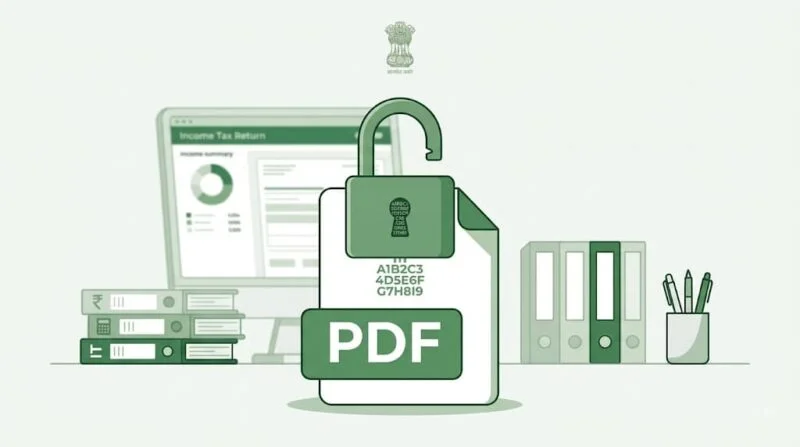
The notice comes as a password-protected PDF, and honestly, this is where most people get stuck.
abcde1234e01012000That’s it. No dashes, no slashes, all lowercase letters. I know it feels a bit odd typing your own birthdate as a password, but that’s genuinely all there is to it.
If it still doesn’t open, double check you haven’t accidentally capitalised the PAN, or mixed up the date format. That’s usually where the mistake happens.
Where Do You Actually Find This Notice?
Most people notice the email first, since it lands in your registered inbox with the PDF attached. But you don’t have to rely on the email alone.
Log into the income tax e-filing portal, go to “View Filed Returns,” and you’ll find the same intimation sitting there under your return’s status. It’s a good habit to check this even if the email never shows up, sometimes it lands in spam without you realising.
Why Am I Getting This?

Because everyone gets one. That’s the short answer. Once your return is processed, this notice follows, no matter what, regardless of whether you owe anything or not.
What it says depends on your situation:
- You paid more tax than you owed, so it shows a refund (only credited if it’s over Rs. 100)
- You paid less than you owed, so it shows a demand along with a challan
- Everything matches, so it’s just a confirmation
If it’s a refund, you don’t usually need to do anything. It gets credited to your bank account automatically, as long as your account is pre-validated on the portal. If it’s stuck, that pre-validation step is usually the culprit.
If it’s a demand, that’s when you need to actually pay attention and decide whether you agree with it or not.
What’s Actually Written In It
Every 143(1) notice has a similar layout. You’ll find:
- The date it was issued
- Your PAN
- The assessment year
- Your return’s acknowledgement number
- A Document Identification Number (DIN)
- A table comparing your numbers against what the department calculated
Can They Actually Change My Numbers?
Yes, but only for specific reasons. It’s not random. Here’s when it happens:
- You made a math error somewhere in the return
- Something looks inconsistent, like income shown in one place but not declared properly elsewhere
- A loss you carried forward gets disallowed because that earlier return was filed late
- An expense from your audit report never made it into your actual return
Here’s an example of the second point. Say you had some freelance income that you deducted under business expenses, but never actually listed it under “income from other sources” anywhere in the return. That mismatch is exactly the kind of thing this automated check catches, and it’ll adjust your total income accordingly.
How Long Do They Have To Send It?

The department has nine months from the end of the financial year in which you filed your return.
Say you filed your FY 2025-26 return in July 2026. They can send this notice any time up to 31st December 2026, so don’t expect it the very next day.
And if nothing arrives in that window? That’s actually fine. It just means there’s no adjustment, and your original filing acknowledgement counts as the 143(1) notice by default.
One thing worth remembering, if there’s a demand involved, you get 30 days from the notice date to respond.
Okay, I Got It. Now What?

Don’t just skim it and forget about it. Here’s what actually needs to happen next.
First, check the basics. Your name, PAN, address, the assessment year, and the acknowledgement number should all match your actual return. This sounds obvious, but people do occasionally get notices meant for a different assessment year, so it’s worth a quick look.
If you spot a mistake you made while filing, just file a revised return on the e-filing portal. It’s usually the simplest fix.
If you didn’t make a mistake and you disagree with what the department adjusted, file a rectification request under Section 154(1) instead.
If there’s a tax demand, respond on the portal either way, whether you agree or not. Ignoring it isn’t really an option.
If you do agree with the demand, pay it. Just make sure you select “Tax on regular assessment (400)” as the payment type on the challan.
And if none of that resolves things, you can raise a grievance online, reach out to your Assessing Officer, or take it up with the Income Tax Ombudsman.
Mistakes People Often Make With This Notice

The most common one is simply not opening it at all. People see an unfamiliar PDF, assume it’s spam, and delete the email. That’s a bad idea, especially if there’s a demand hiding inside.
The second mistake is paying a demand without actually checking if it’s correct. Sometimes the mismatch is genuinely the department’s system misreading something, and you’re entitled to challenge it instead of just paying up.
And the third one, missing the 30-day window. It’s easy to forget about a notice once the initial worry fades, but that clock keeps running whether you’re paying attention or not.
A Couple Of Things People Usually Ask
Is this the same as a scrutiny notice? Not at all. This one’s automated and routine. Scrutiny is a completely separate, more detailed process.
What if I just ignore the demand? Interest keeps piling up, and it can eventually lead to recovery action. Better to respond within those 30 days, even if it’s only to disagree.
Can I get this notice even with a perfectly filed return? Yes, every single time. In that case, it’s just confirming everything checked out, and you really don’t need to do anything at all.
Does receiving this notice mean I’m being audited? No. This is just an automated processing step that happens to every return. Audits and scrutiny assessments are handled entirely separately, and they involve a lot more paperwork than this.
What’s the difference between 143(1) and 143(2)? A 143(1) is the automated processing intimation everyone gets. A 143(2) is a separate notice that starts an actual scrutiny assessment, where an officer looks into your return in detail. They’re not related to each other, and getting one doesn’t mean the other is coming.
One Last Thing
An income tax notice 143(1) isn’t something to lose sleep over. Most of the time it’s just a formality, a confirmation that the system checked your numbers and things line up.
The only time you really need to act fast is when there’s a demand attached. Even then, you have a full 30 days, so there’s no need to rush into anything without reading it properly first.
1 Comment